Building a prototyping tool for everyone at Aspora
Aspora · Product, design and build · 2026 · In pilot
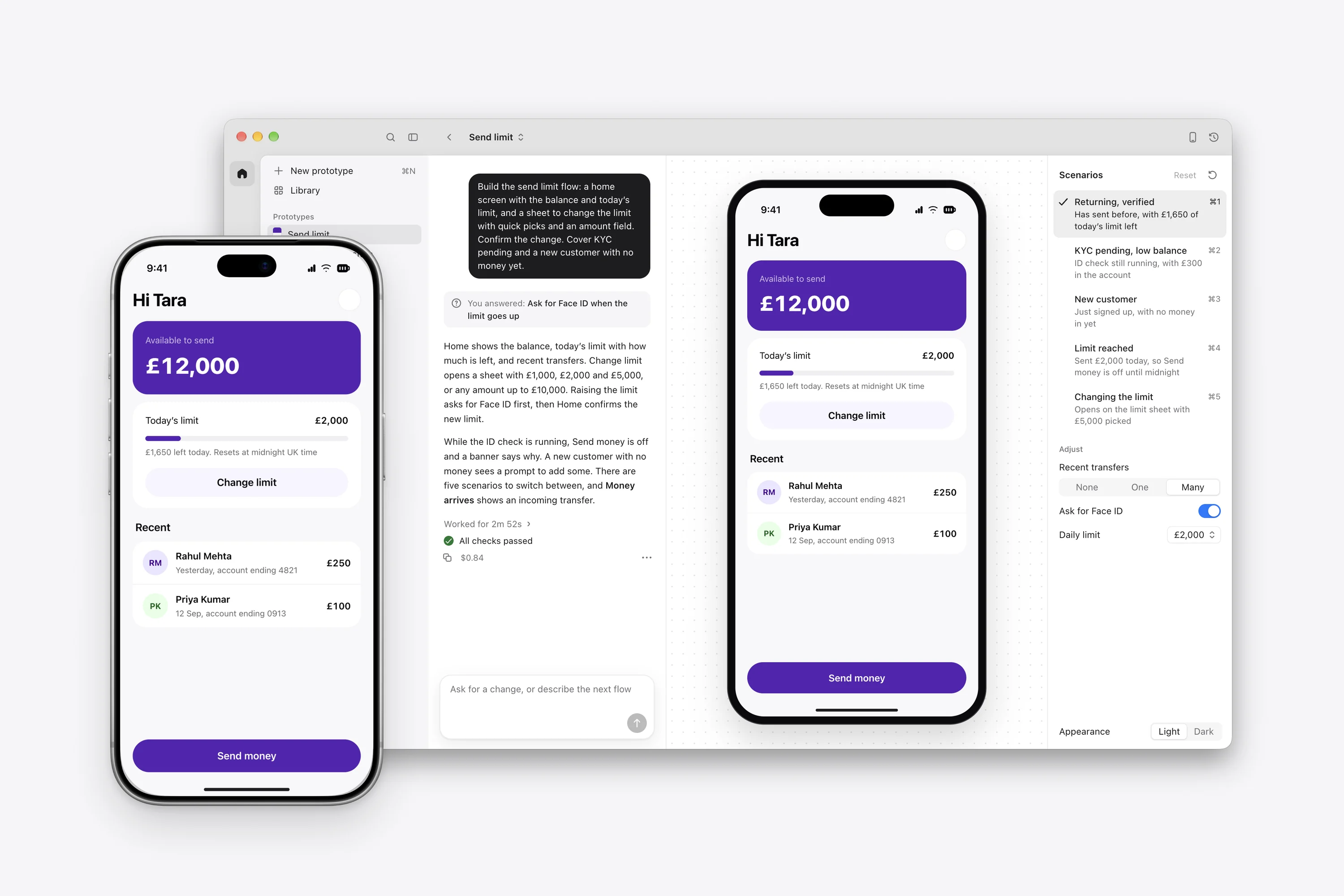
Flight is a Mac app that turns a product question into a working prototype built on Aspora’s real components, ready to open on a phone. I built it so anyone at Aspora could prototype the way I had been working for months. It’s in pilot across Aspora, and prototypes built in Flight have already been used in customer research.
Solve what my colleagues got stuck on
I had been prototyping Aspora’s app with Claude Code and Codex for months. Over time I added ways to test different states and inspect motion, and worked out how the agents should use our components. The setup had become a companion to my design work.
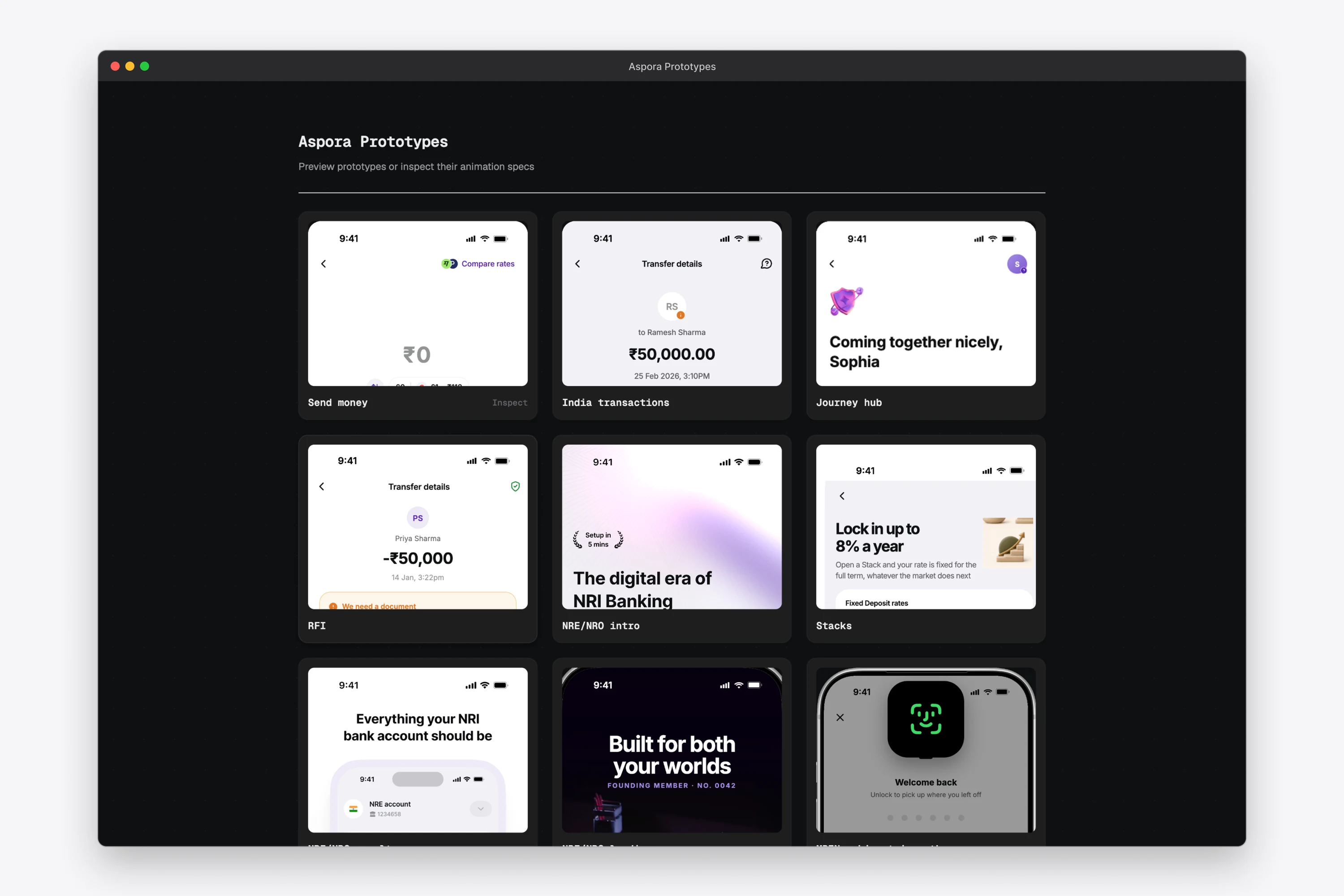
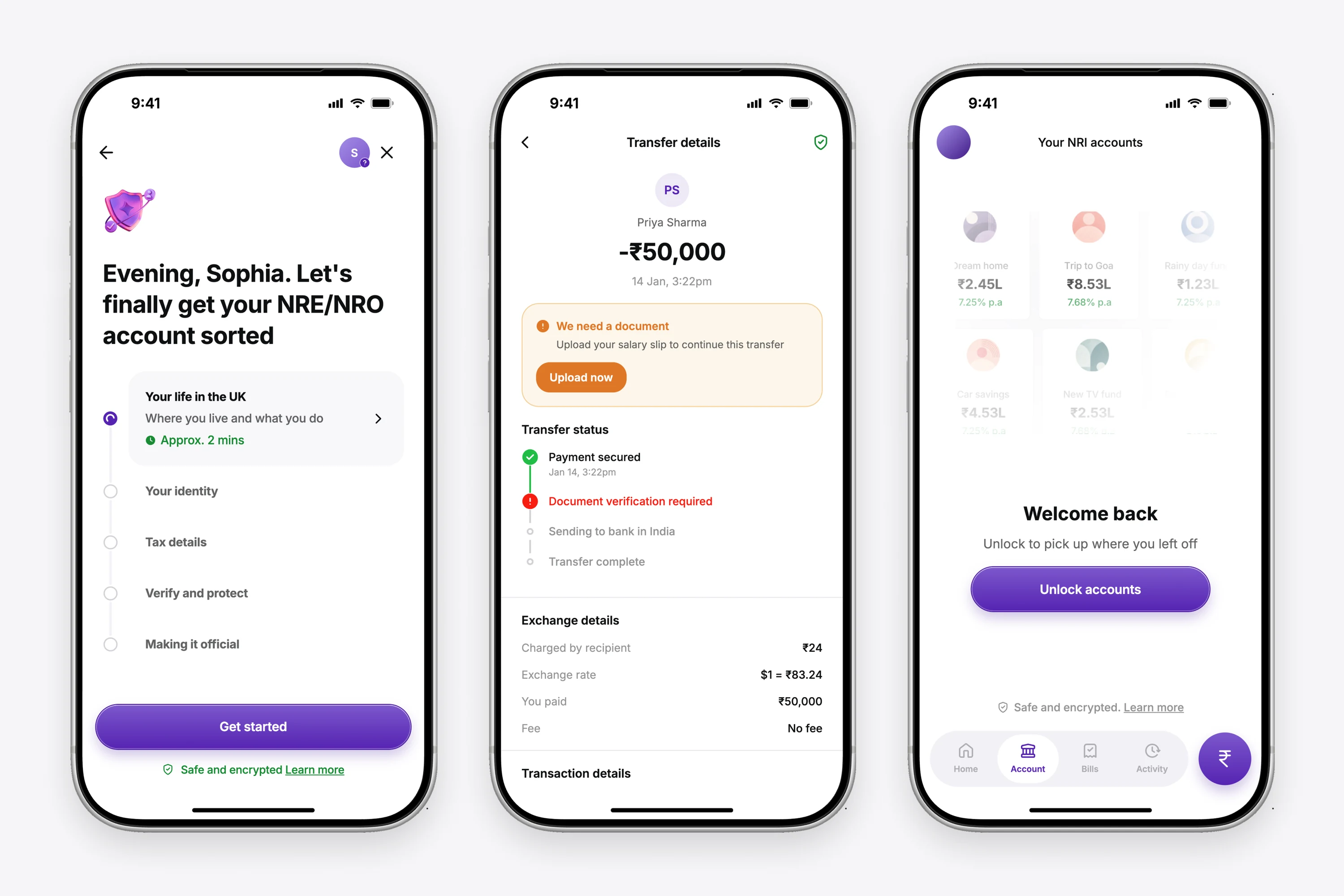
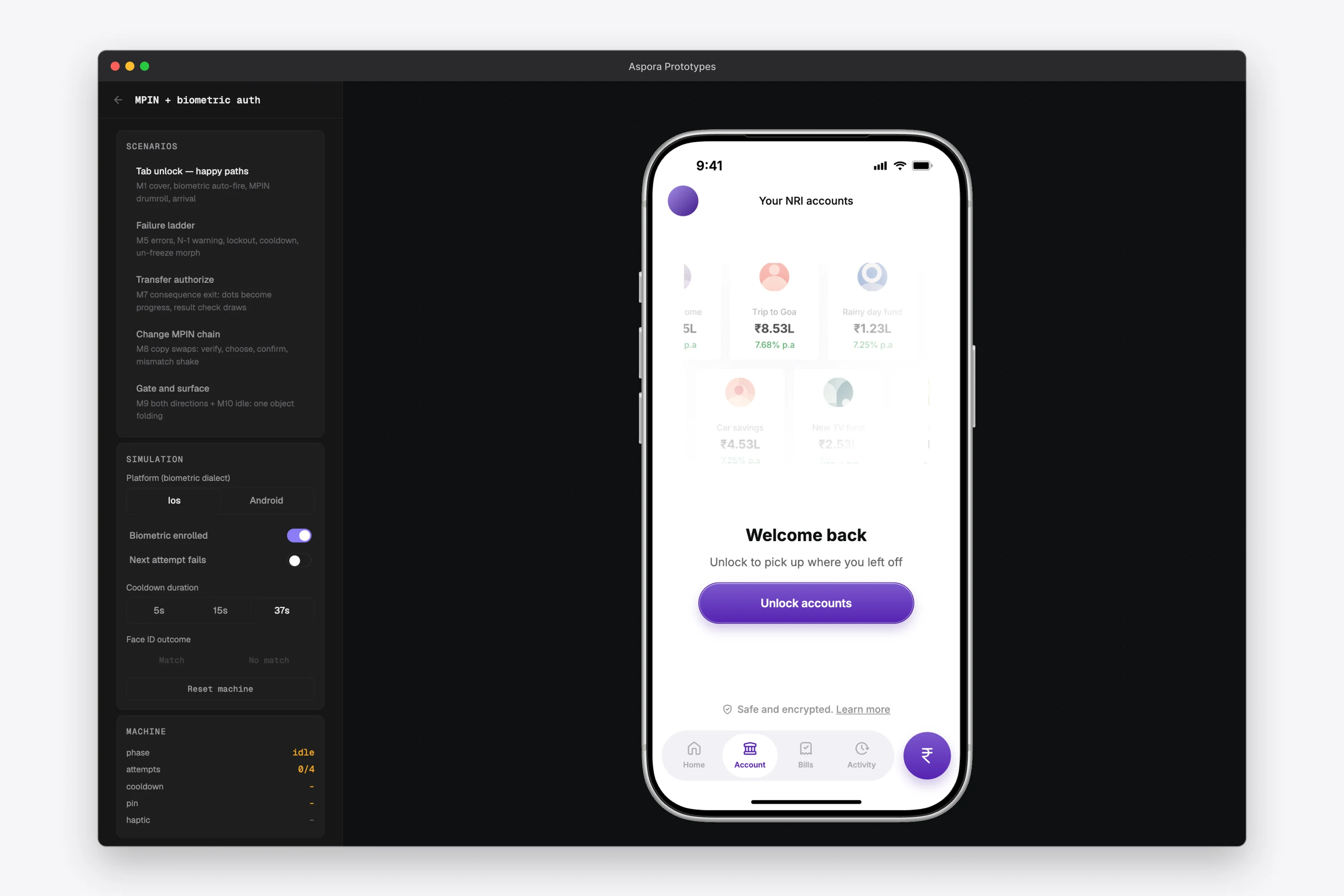
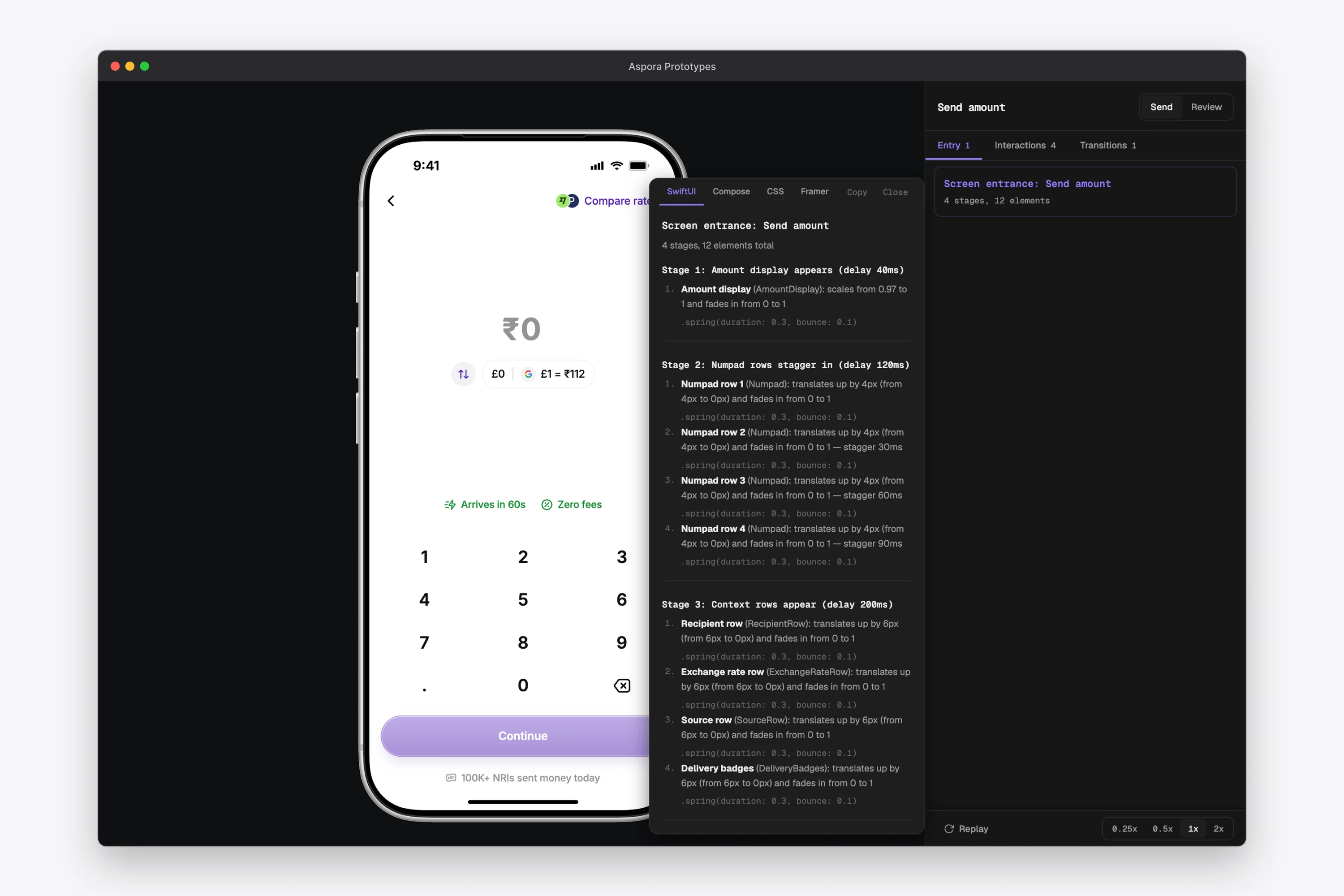
In August I gave colleagues a copy of it. They made decent prototypes with it. Everything around the prototype was hard. Getting set up needed my help, and viewing the result on a phone was painful. Sharing it and testing different states took more work again.
When I started Flight in September, the agent I was planning with put the main risk on whether AI could produce on-brand work. I set that aside, because my colleagues had already shown the prototypes were good enough. I judged every part of Flight against one comparison, a colleague working from a copy of my setup with a coding agent.
Build for everything after the first prompt
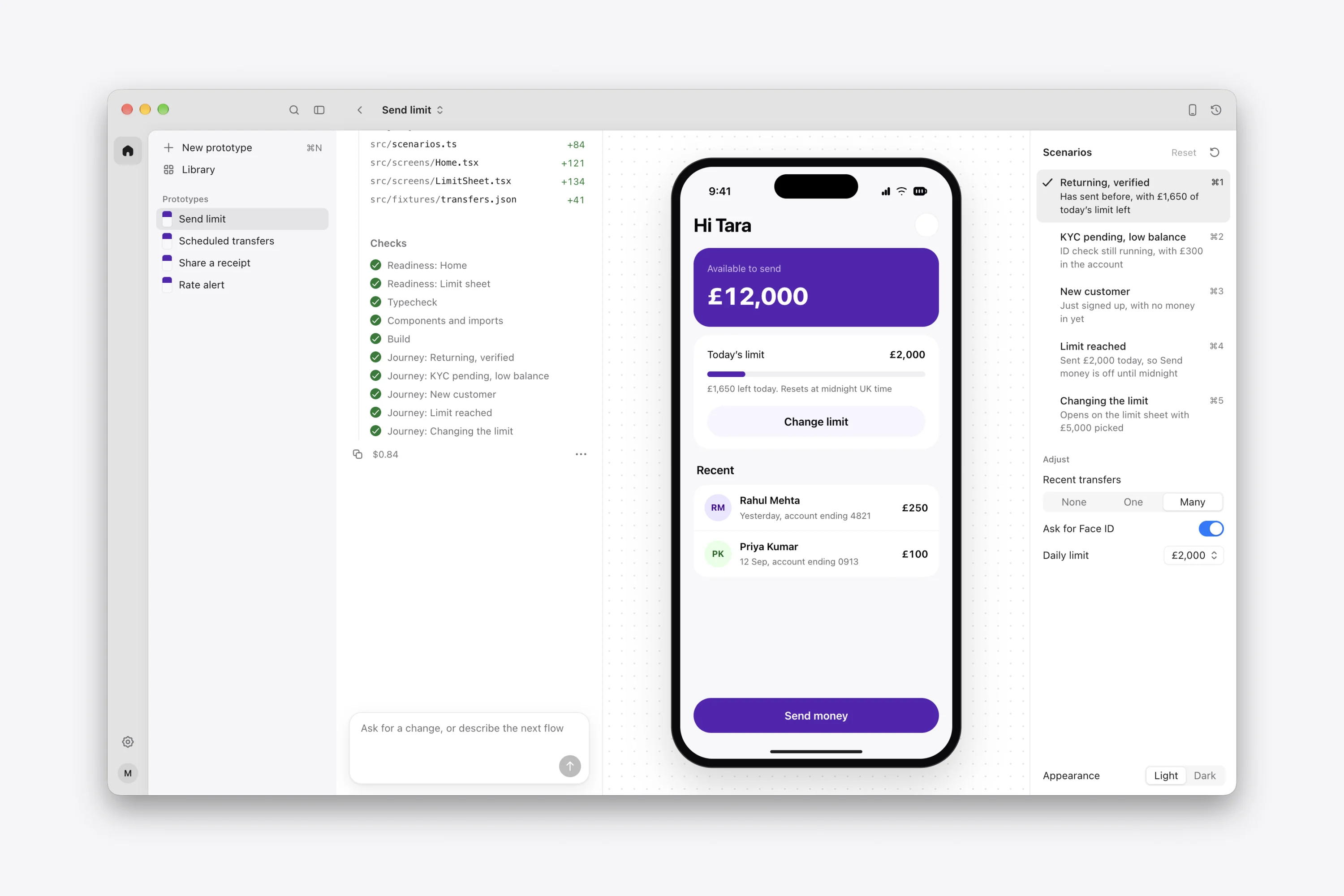
Generating the prototype was the part that already worked, so I designed Flight around the rest of the path from a brief to a test on a phone. I wrote it for everyone at Aspora, including product managers and people who had never used a coding agent. Setup is installing the app and accepting an invitation, and nobody has to open a terminal. Each prototype lives in a library people can come back to for the next round.
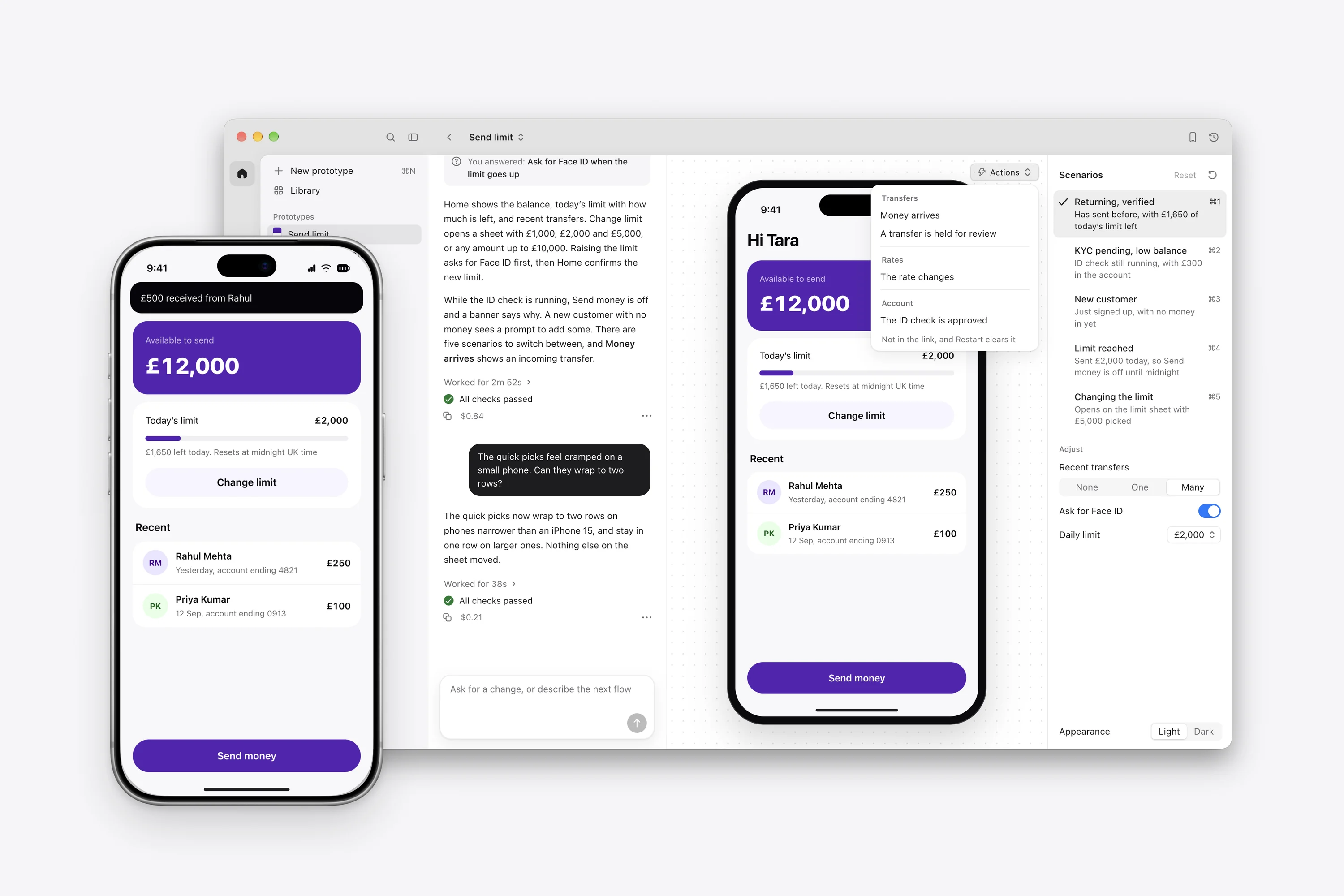
Opening a prototype on a phone takes one link. The link follows the latest checked version, so a failed change stays out of what people see, and an earlier version can be restored.
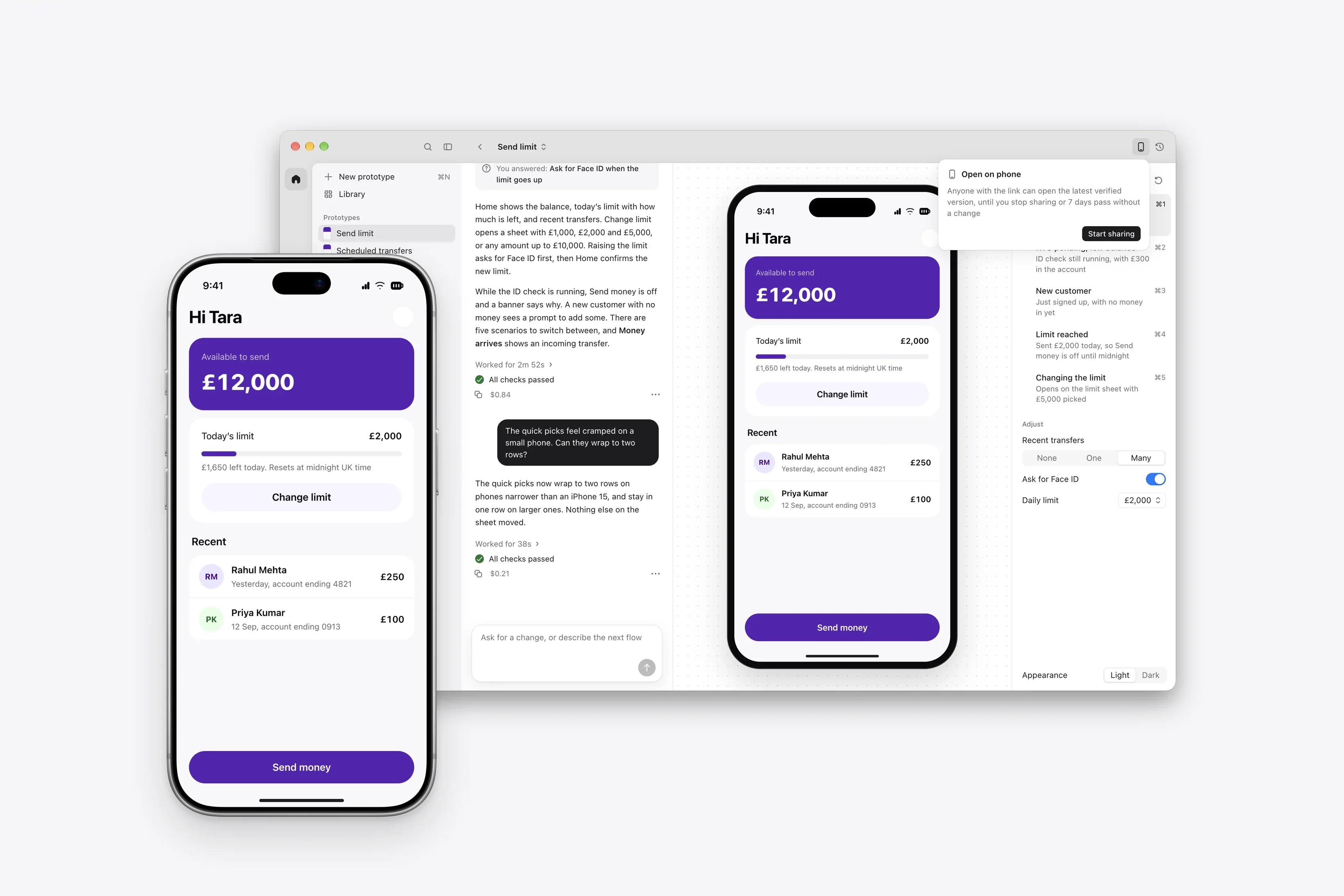
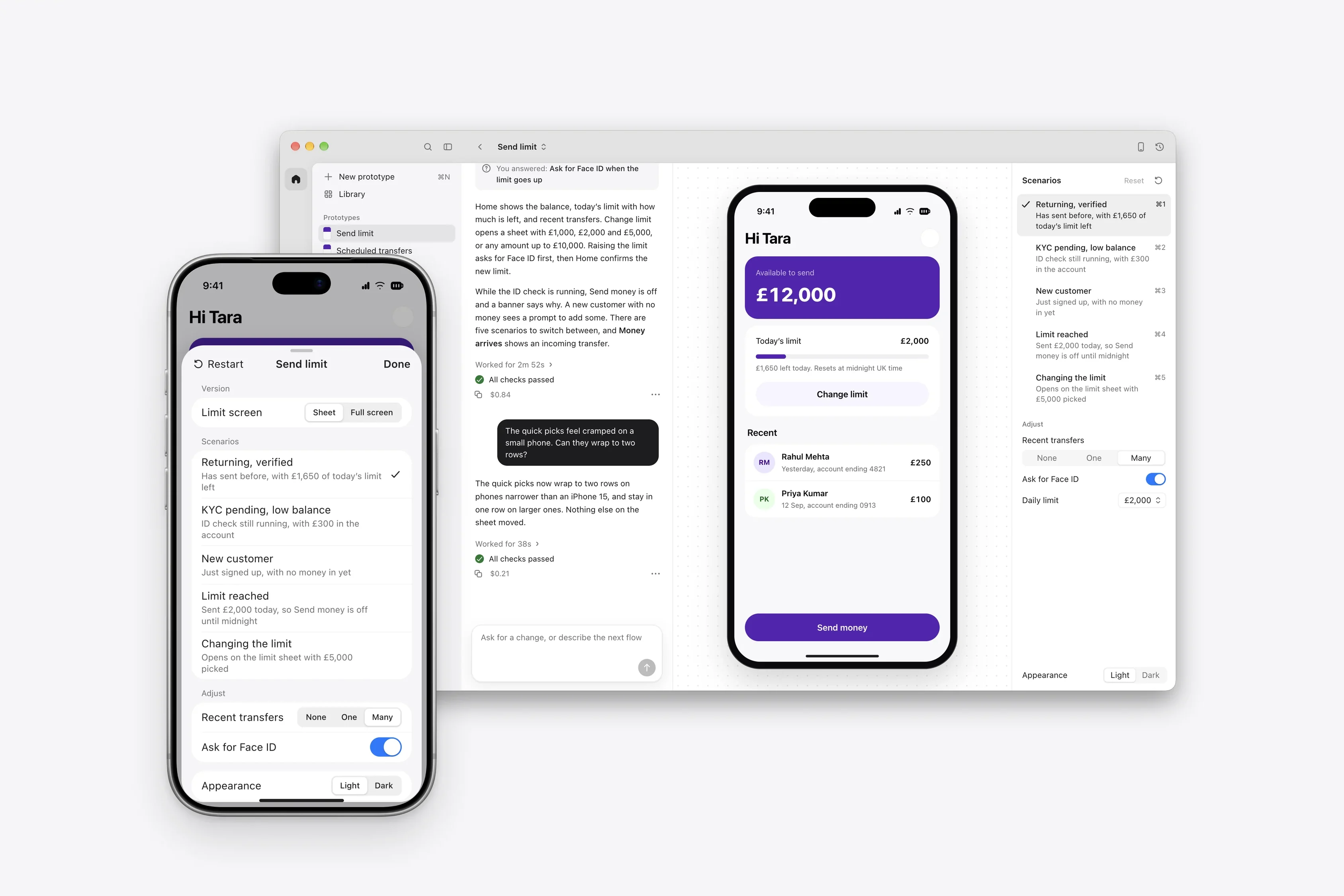
Testing states needed the same care, so I gave Flight a defined set of scenario controls that the agent fills in for each prototype. People can switch from a returning customer to a new one, or trigger an event, on the Mac or from the phone, without reading any code.
Build on the design system and never recreate it
I built Aspora’s design system, and I built it for AI agents to build with. Its components come with a constrained styling vocabulary, because agents left to their own choices tend to make poor ones. Flight builds every prototype from the system’s real components and the rules for combining them. That way an idea gets explored with the product’s constraints already in place.
I kept the design system’s authoring out of Flight, whose job is to use it. When the agent needs a component that doesn’t exist yet, it can compose one from the system’s tokens, and Flight records the gap. Those gaps go back to the design system, where the next prototype and the production app can both benefit.
Polish from the first build
On the first day, the agent suggested proving the basic loop first and polishing later. I said no. When AI builds, early design choices quickly become part of the implementation, and deferring polish leaves room for decisions that are much harder to fix later.
The first draft of Flight’s taste reference leaned almost entirely on Xcode. I asked, “Is that the best we can do?” and set the bar the app is held to. Flight should feel like Codex with a phone in it, a quiet, monochrome Mac window where the conversation and the work carry the weight. I also turned my copy rules into a check that runs on every string in the app.
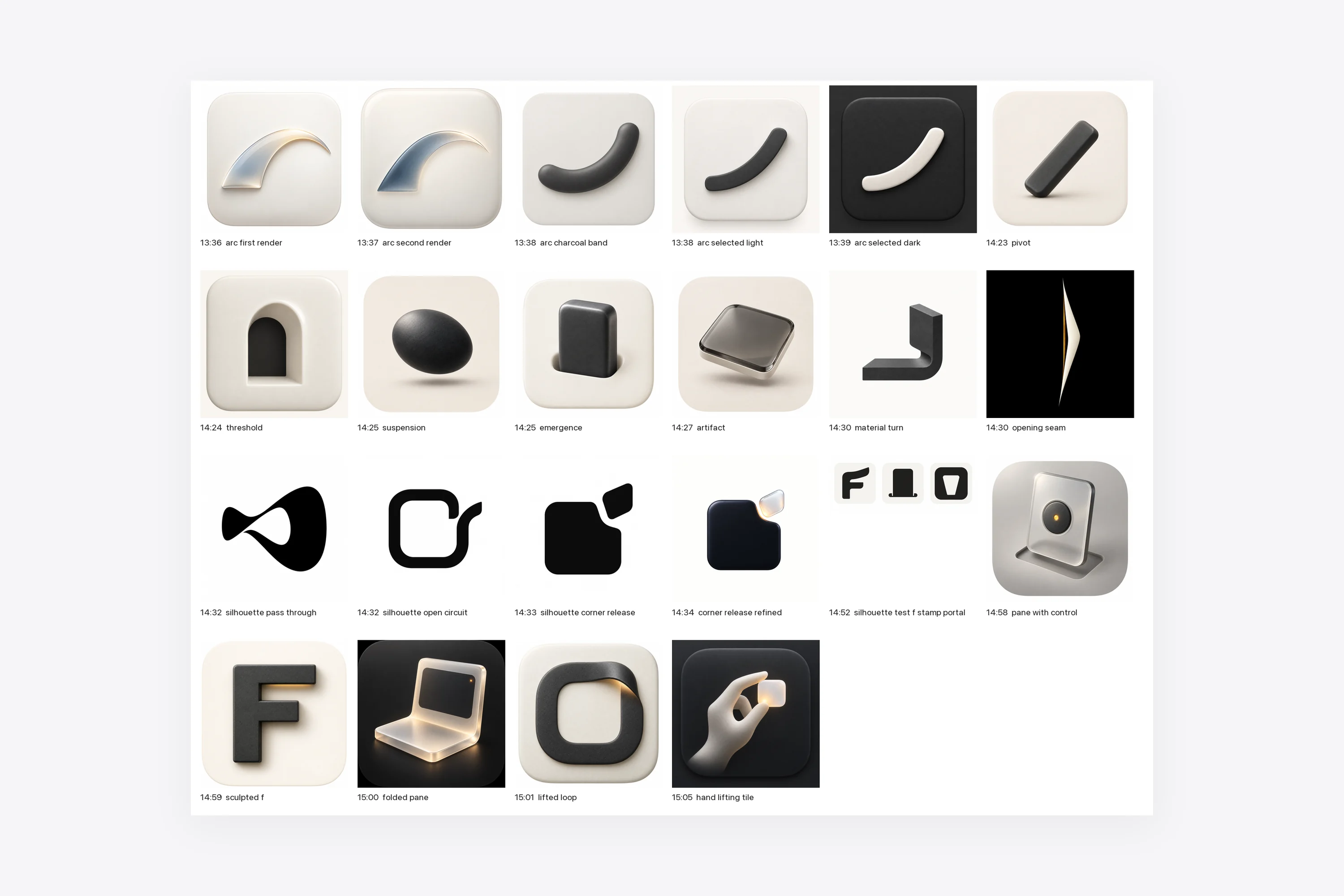
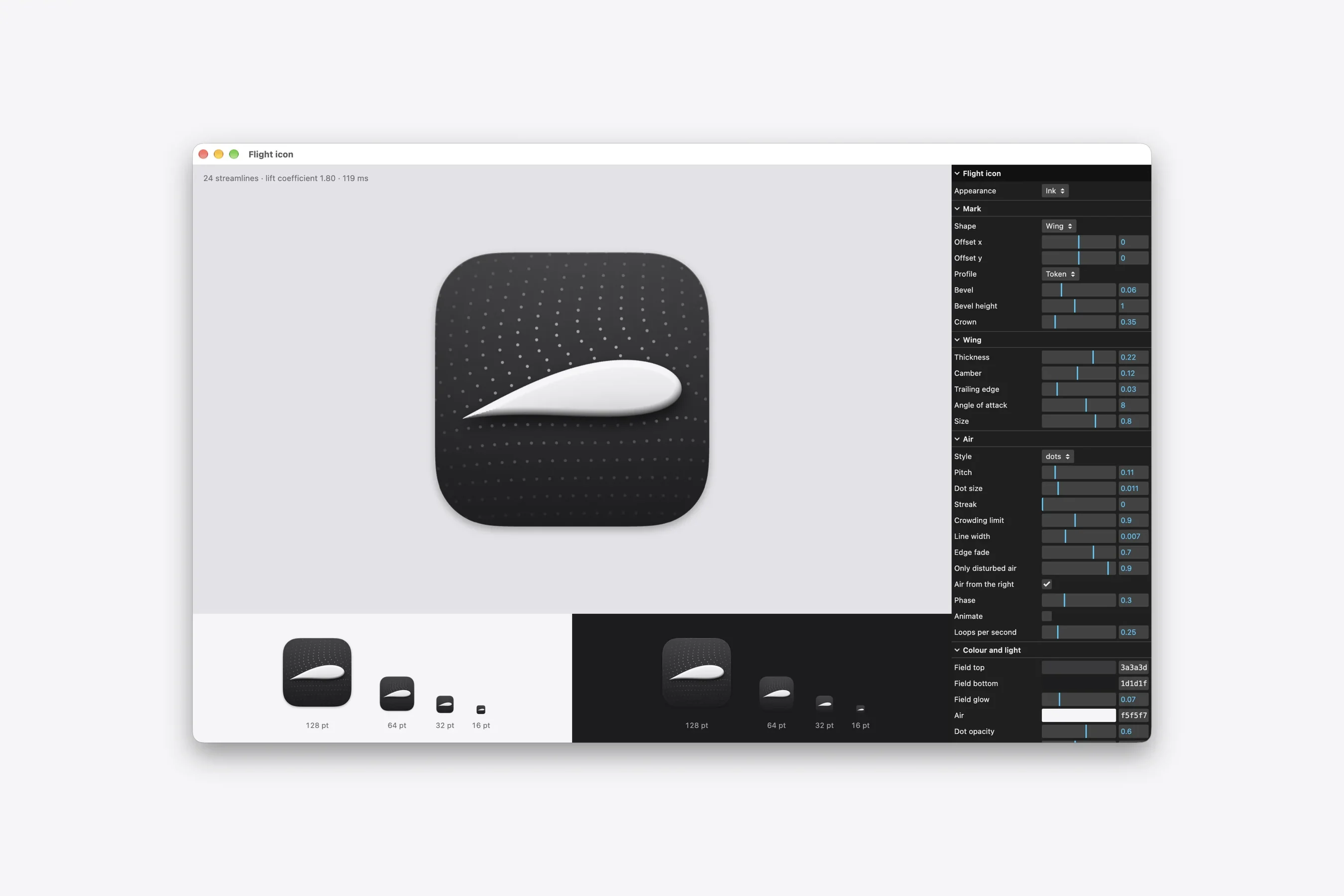
Flight needed an app icon. I started with image generation in Codex, and about twenty concepts in ninety minutes all looked dead to me. So I switched from generating pictures to building the icon in three.js with Claude Code, as a tool with controls for the shape, the air, the light and the colour that I could keep working with.
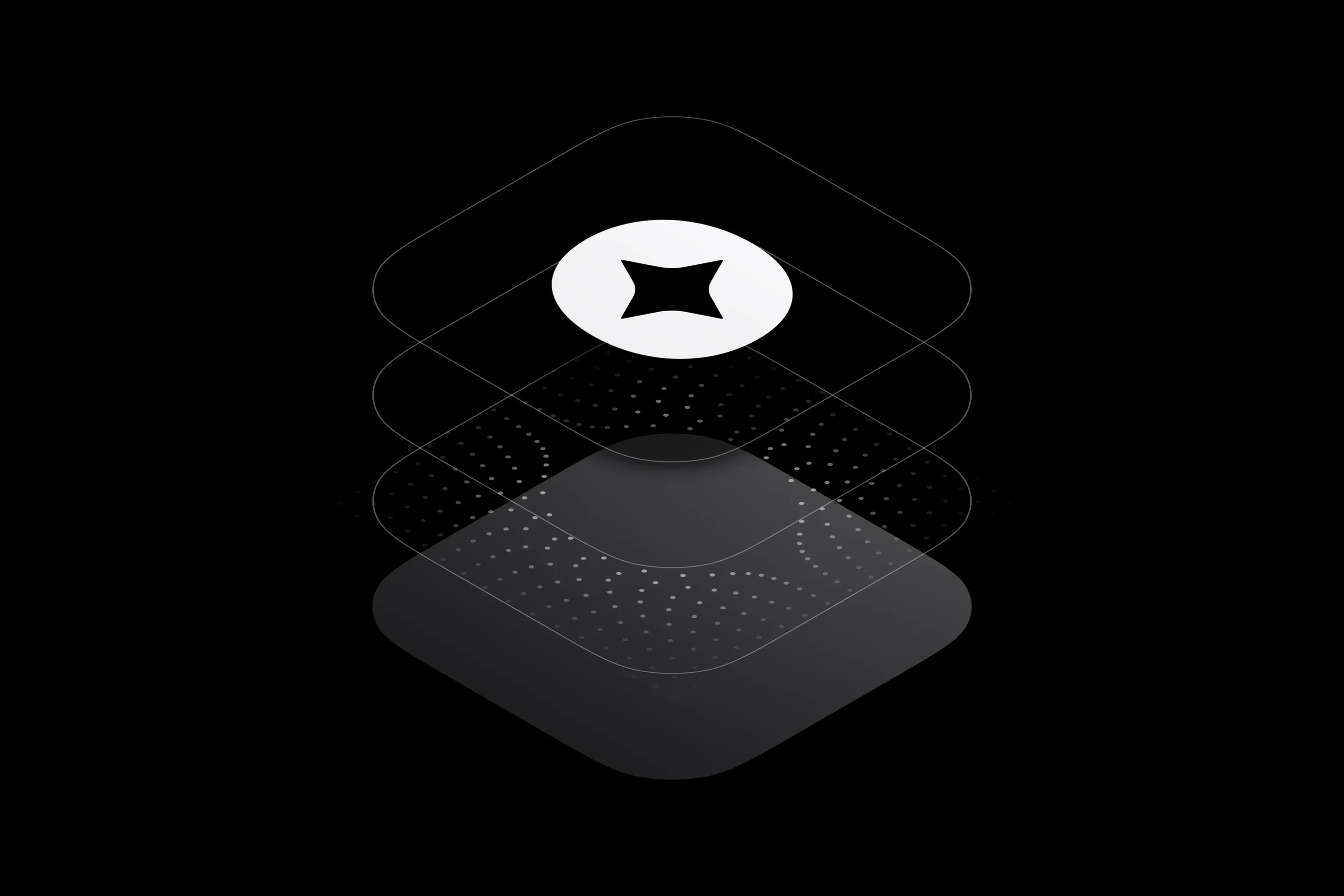
The first render was a wing in moving air on Flight’s dotted canvas. I kept the air, replaced the wing with Aspora’s mark and set the palette to Flight’s ink and greys. Two critiques later the mark was flat, and the air carried the icon. Because the icon was a tool, each of those changes took minutes.
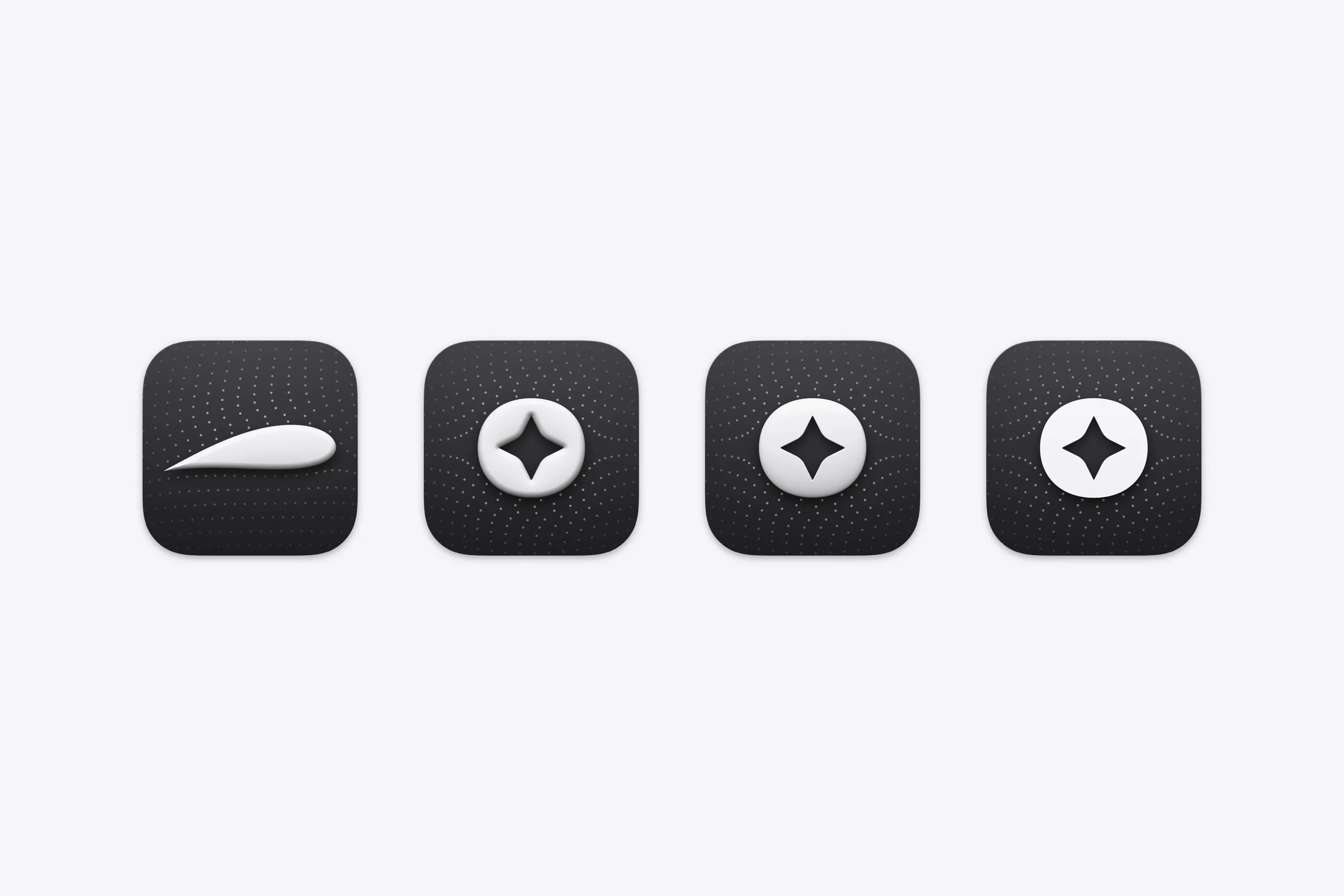
When I used the first version for a day, I streamed screenshots and dictated my reactions as I went. I hid the file viewer from an audience that mostly doesn’t code, and designed an Actions menu so people could trigger prototype events in terms they understand.
Direct the agents like a team
Claude Code and Codex wrote Flight’s code under my direction. I made the product, architecture and design decisions and chose which agent took which job. Every spec and plan Claude Code wrote went to Codex for review, and every finding was answered before a build started.
Early on I told the agents I didn’t want to be interrupted once a build started. That became an autonomy contract for every unattended run. The agents made routine calls themselves and logged the bigger ones for me, and any change to scope or budget came back to me.
When a run failed, the failure became a rule. A nine-hour run made no progress because one failure blocked everything after it. The agent suggested relaunching in smaller stages. I kept it as one goal and changed the rules, so a failure now blocks only the work that depends on it.
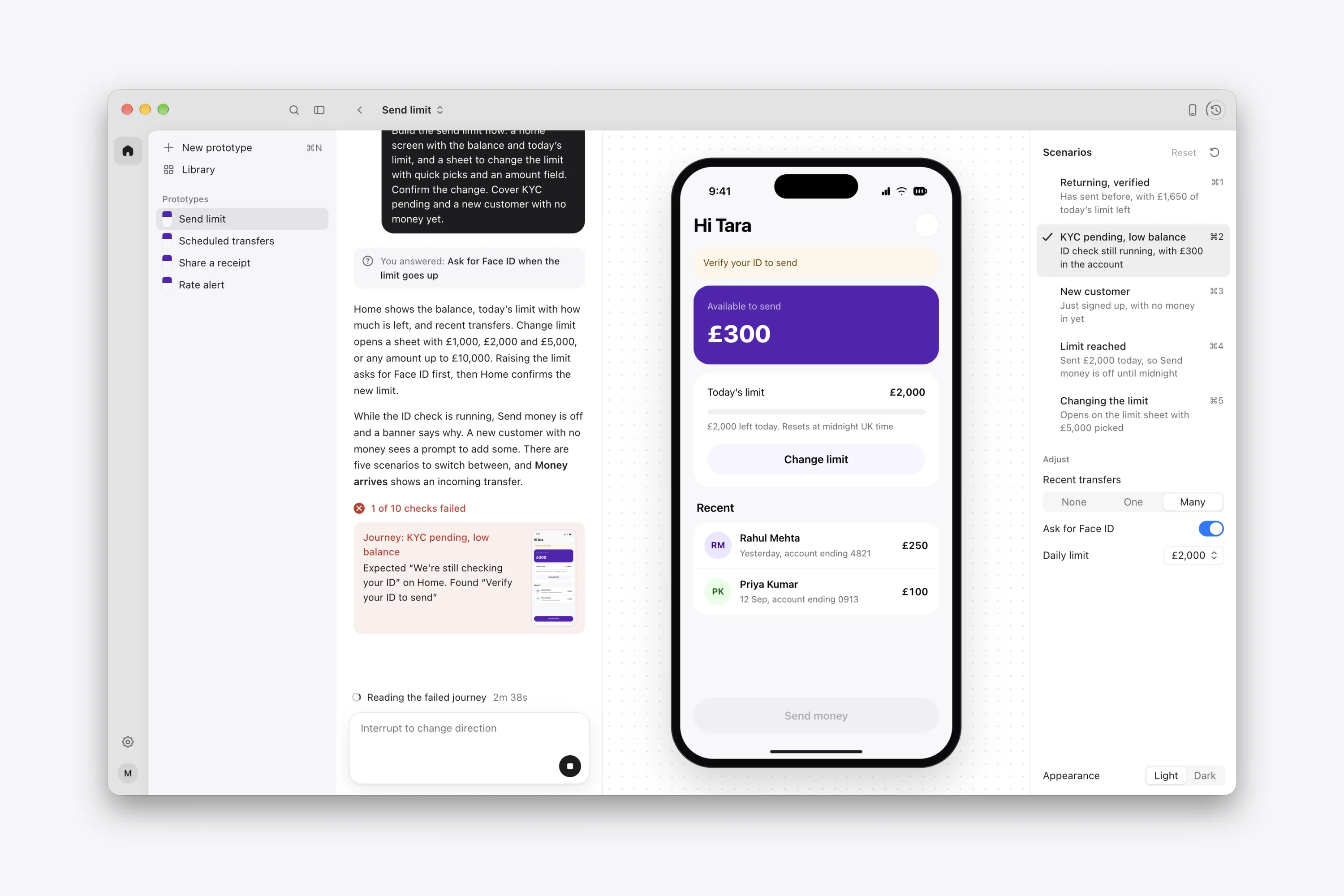
I had seen agents call work finished while parts of it were still broken, so nothing counts as done on an agent’s word. A separate reviewer checks each change before it merges. I built the same rule into Flight. It checks each prototype’s build and its use of the design system, then walks through every scenario before marking a version as verified.
In use, and what comes next
Flight is in pilot across Aspora, and prototypes built in it have already been used in customer research.
The next version is about working together. Publishing will create a fixed version with a clean link for research participants and a separate link for reviewers, so building can carry on without changing a test that’s running. Comments will attach to the prototype, and the agent will be able to act on them in the same conversation.